

Project Moratuck: Replacing a Fire Department’s Software
We built a public website and an operations web app for an all‑volunteer fire department, with native apps for iPhone and Android. Inside the station, the work extended to an iPad kiosk and status boards on the TVs. The old software’s renewal set our deadline.
By  Technologies






23%
The department already paid for an operations system. It didn’t fit how they worked, so they worked around it. After every call, members signed a paper sheet at the station. Meeting attendance went on a paper roster, shifts on a sign-up sheet, and hydrant inspections on paper cards. Public events and applications ran through Google Forms and a spreadsheet. Billing got typed by hand into a separate system.
Switching to another general operations product would have put them right back there: one system built for every department, with paper filling the gaps for this one. So we built operations software around how this department runs. Every screen below started with something its members already did by hand: signing in after a call, logging a drill, checking a truck, finding a radio, inspecting a hydrant.
Moratuck is a project name. It lets us show the work without naming the department or its former software provider. The screens on this page are real captures from the apps, with people, unit numbers, and place names replaced.
* The 23% figure is our estimate, not a measured industry benchmark.
The Paper Sign-In Sheet Is Gone
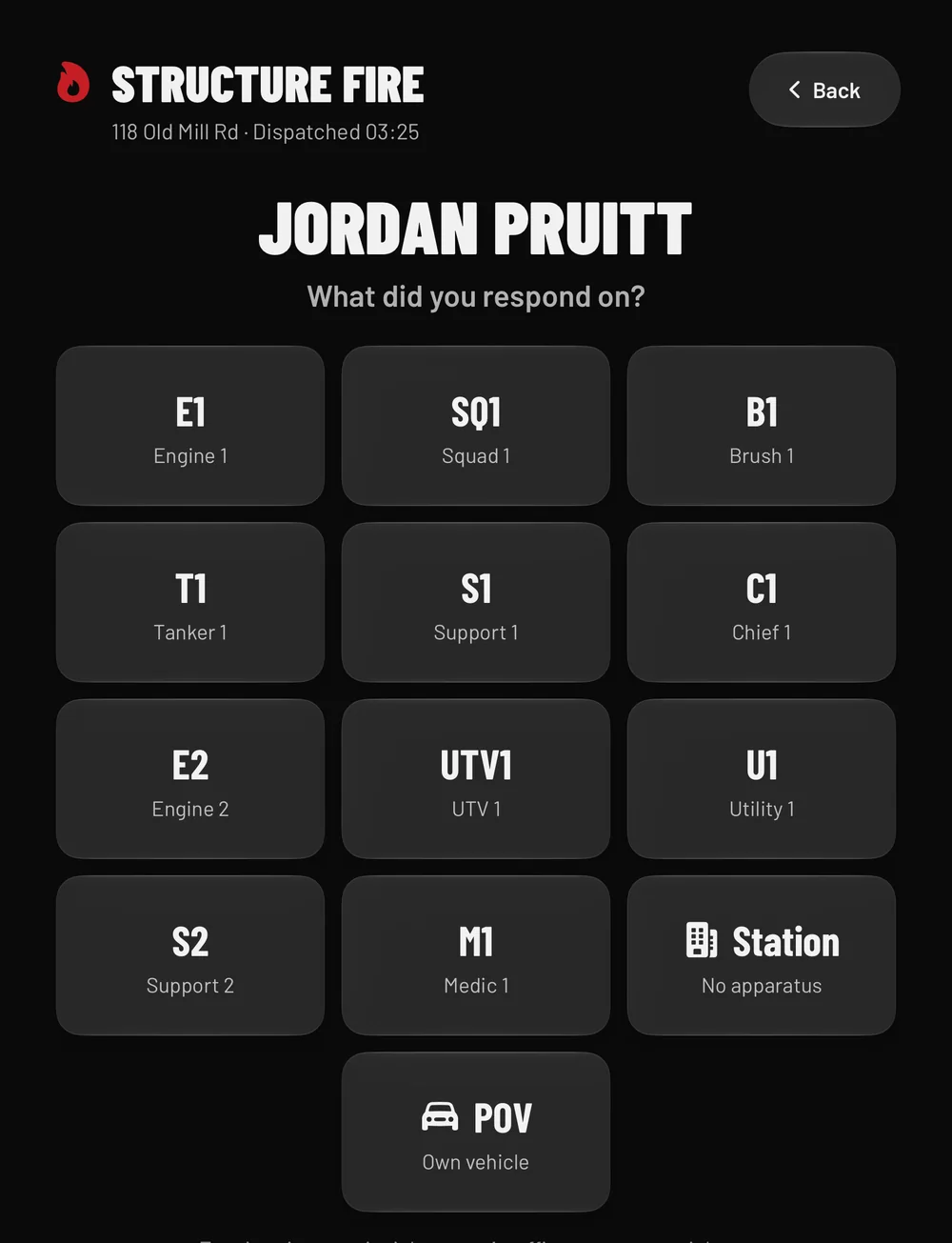
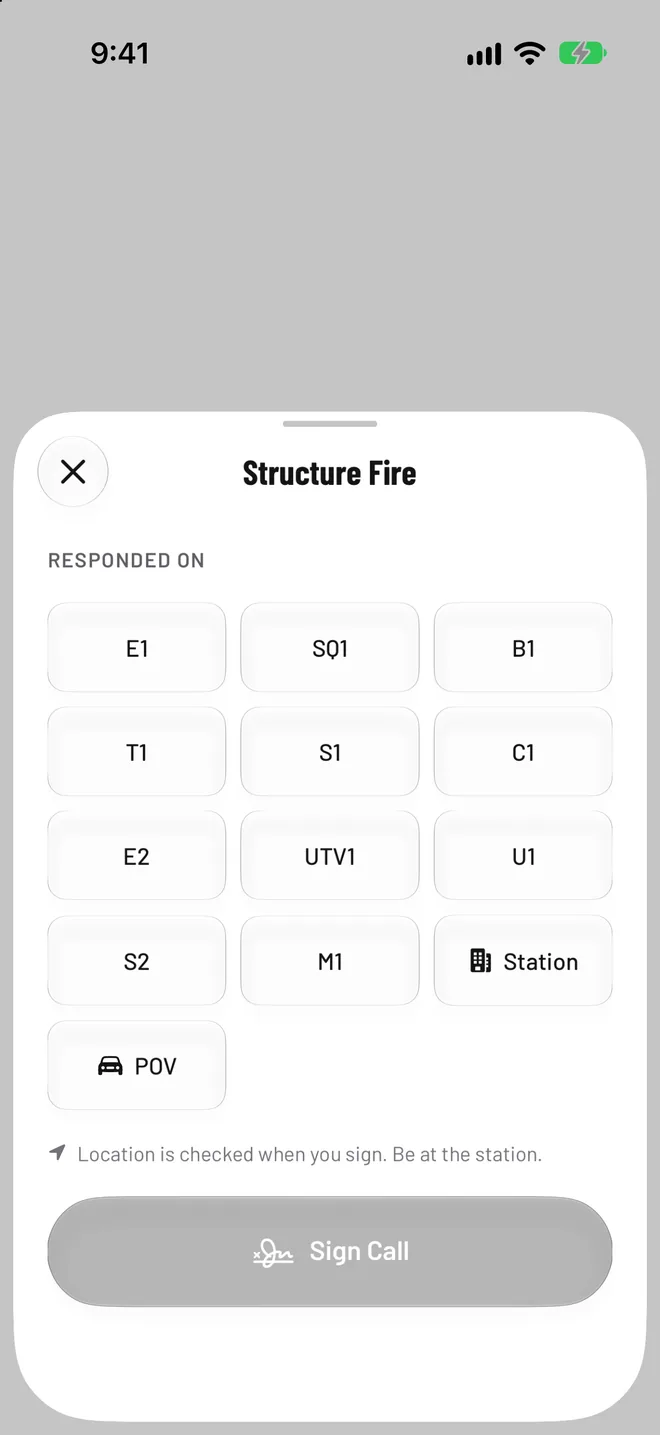
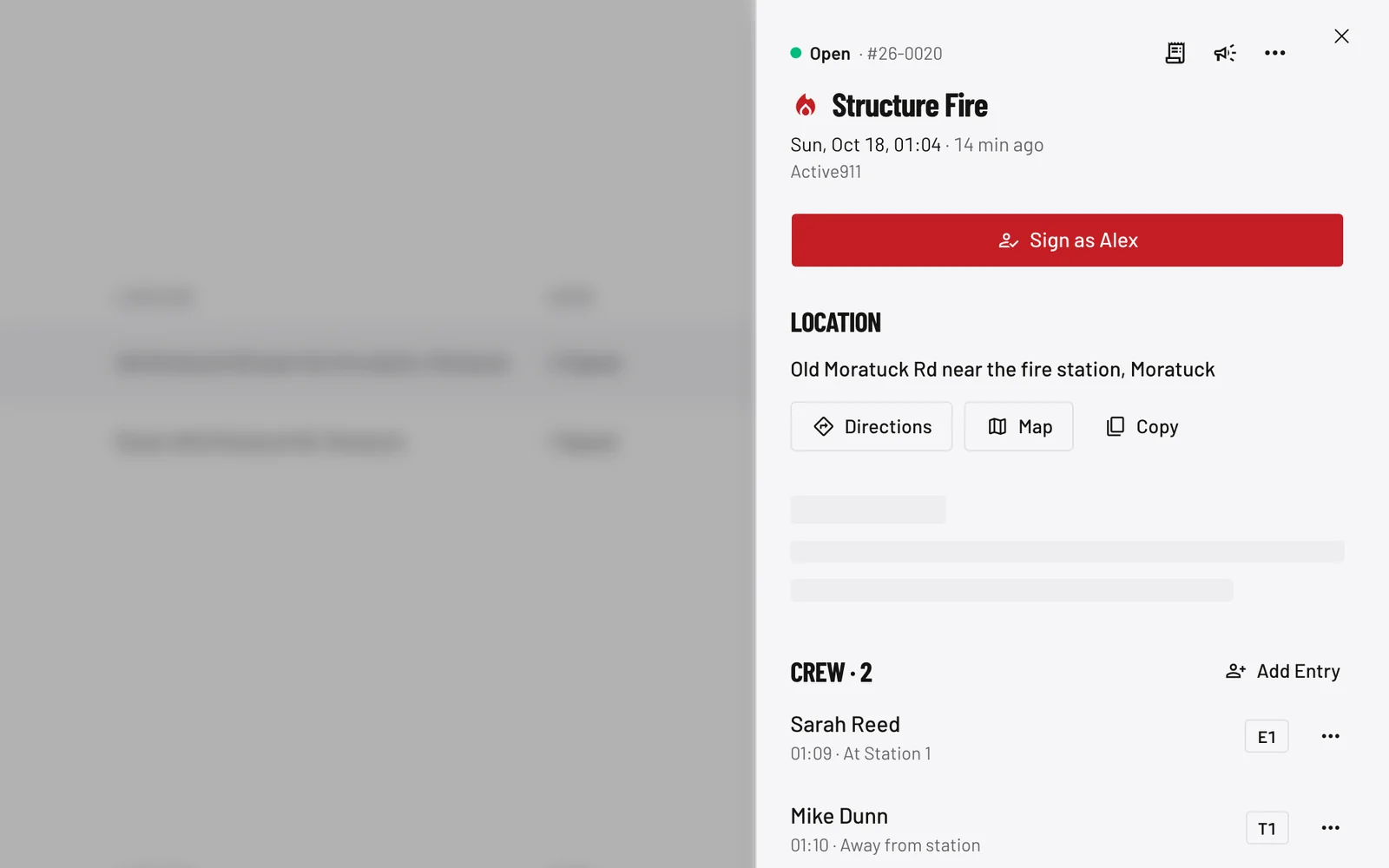
After every call, members wrote their names on a sheet at the station. Now they sign from their phone or the station iPad: open the call, tap the unit they rode (an engine, the squad, the brush truck, or POV if they drove their own car), and they’re on the record.
The phone checks location when a member signs, so a sign-in means they were at the station. On the iPad nobody logs in: a member picks their name and unit, and a wrong tap can be undone for about ten seconds. Every sign-in feeds the call log, and the call log feeds each member’s hours.
What the Station iPad Shows
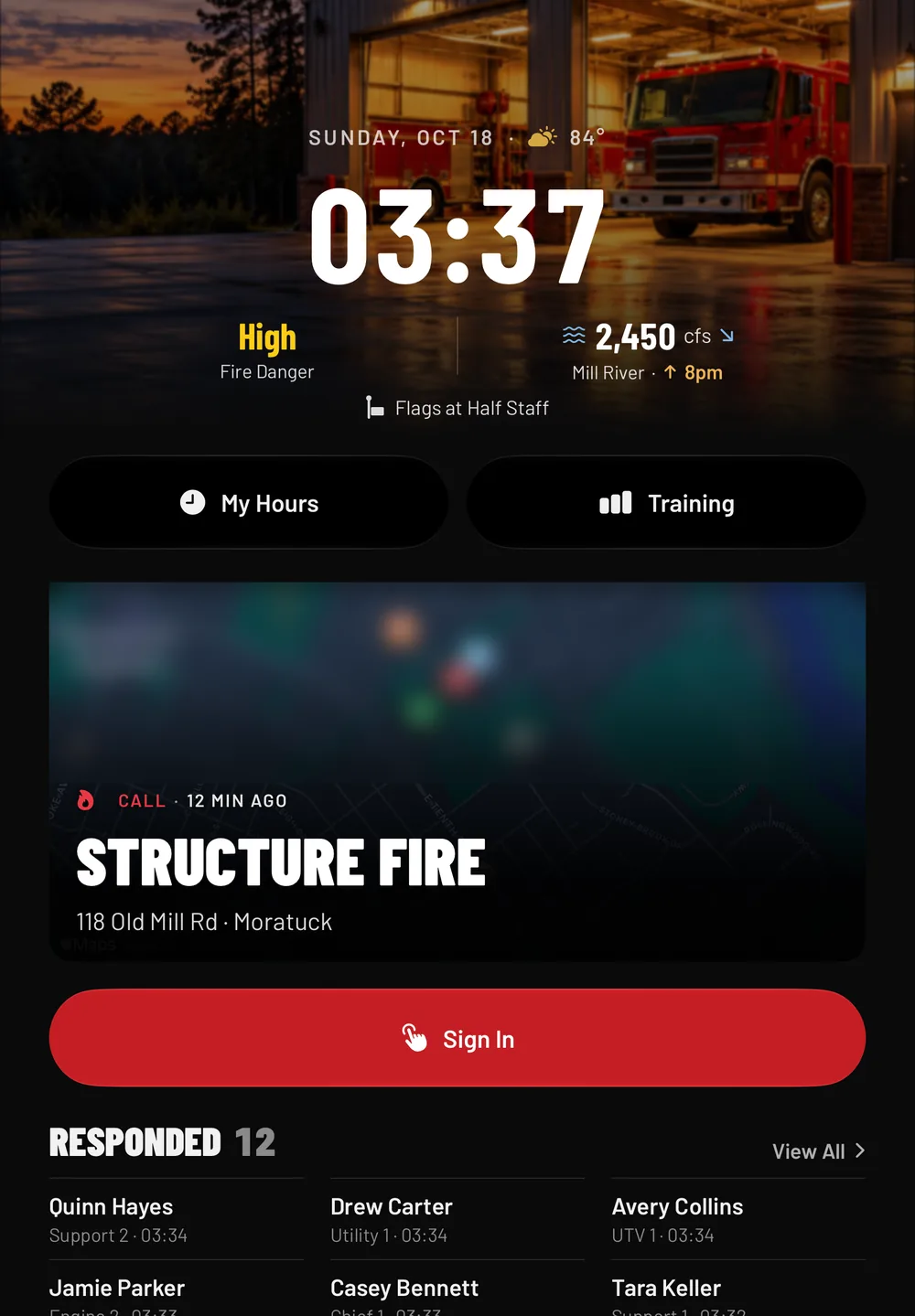
When a call drops, the iPad on the station wall puts it up front: the call type, the address, how long ago it went out, and a running list of who has signed in and on which unit.
Between calls it shows the time, fire danger, the river reading, and flag status. Members walking past can check their hours or sign in to a drill from the same screen.
Problems Found on a Truck Check Go Straight to Officers
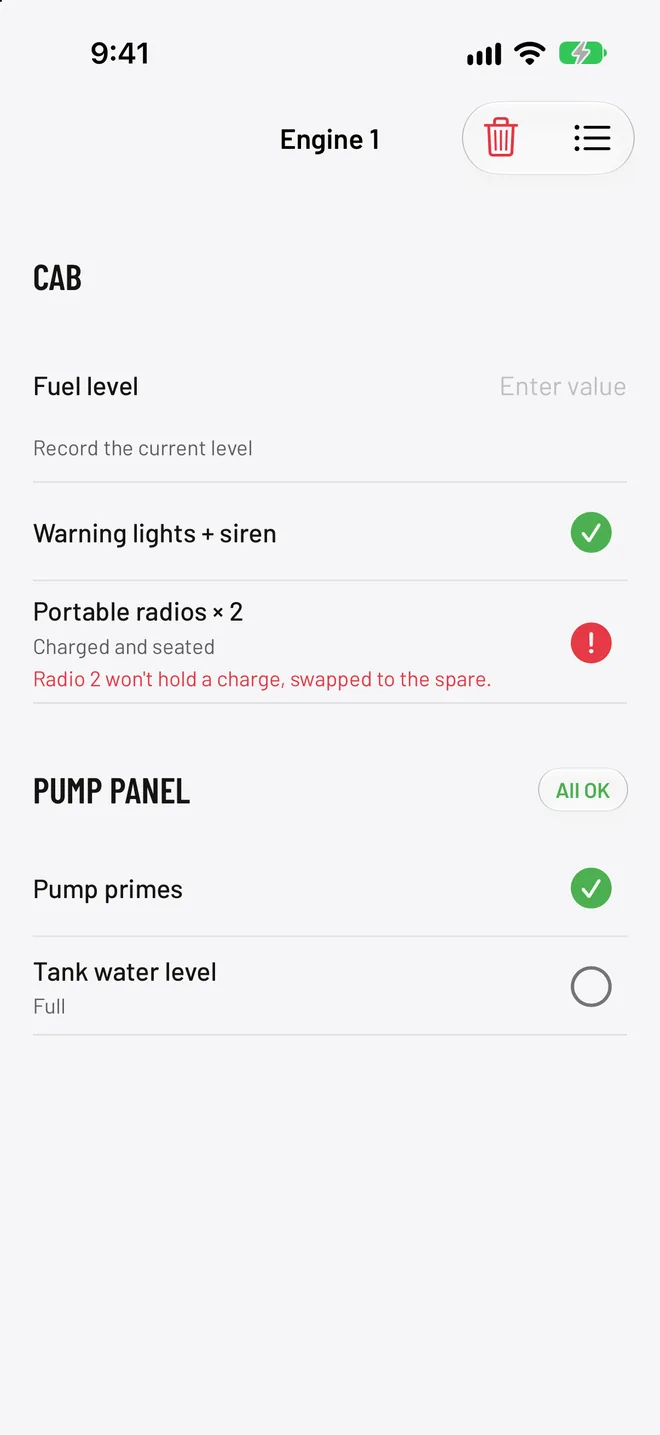
Members check a truck one compartment at a time, marking each item OK, Problem, or N/A. A problem can’t be submitted without a note, so the report says what’s wrong. In this check: “Radio 2 won’t hold a charge, swapped to the spare.”
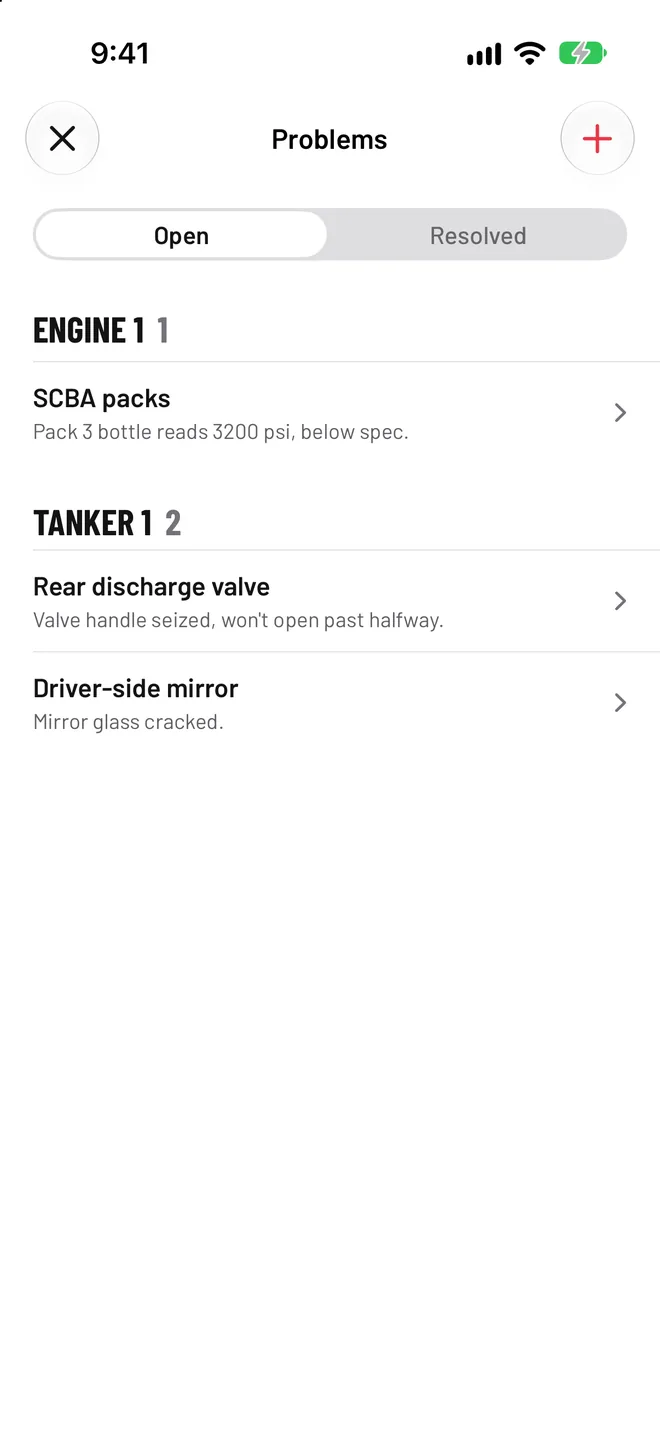
Submitting the check opens a deficiency on that truck and sends a push to everyone who manages checks, except the member who ran it. The problem stays on the truck’s list until someone marks it resolved.
Hydrants, Gear, and Drill Hours
Hydrants
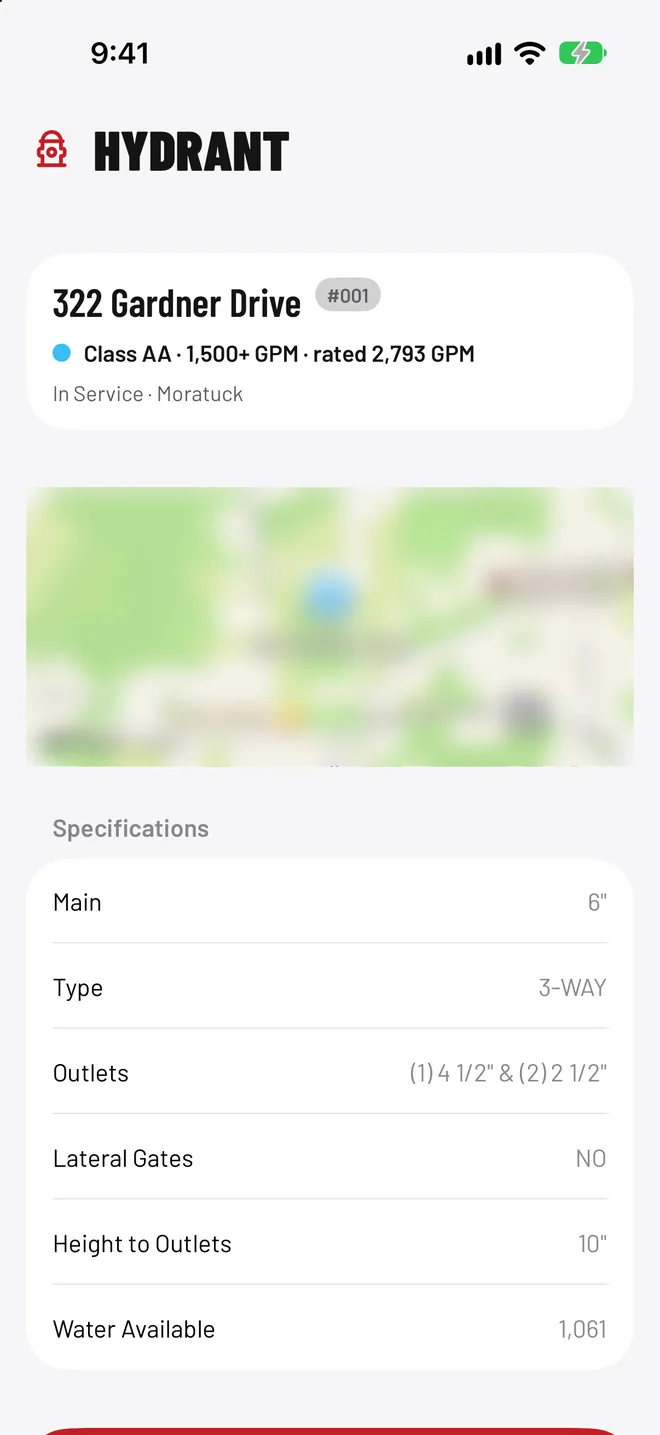
Members record static, residual, and pitot pressure at the hydrant. With all three, the app calculates flow in gallons per minute at 20 psi, following NFPA 291.
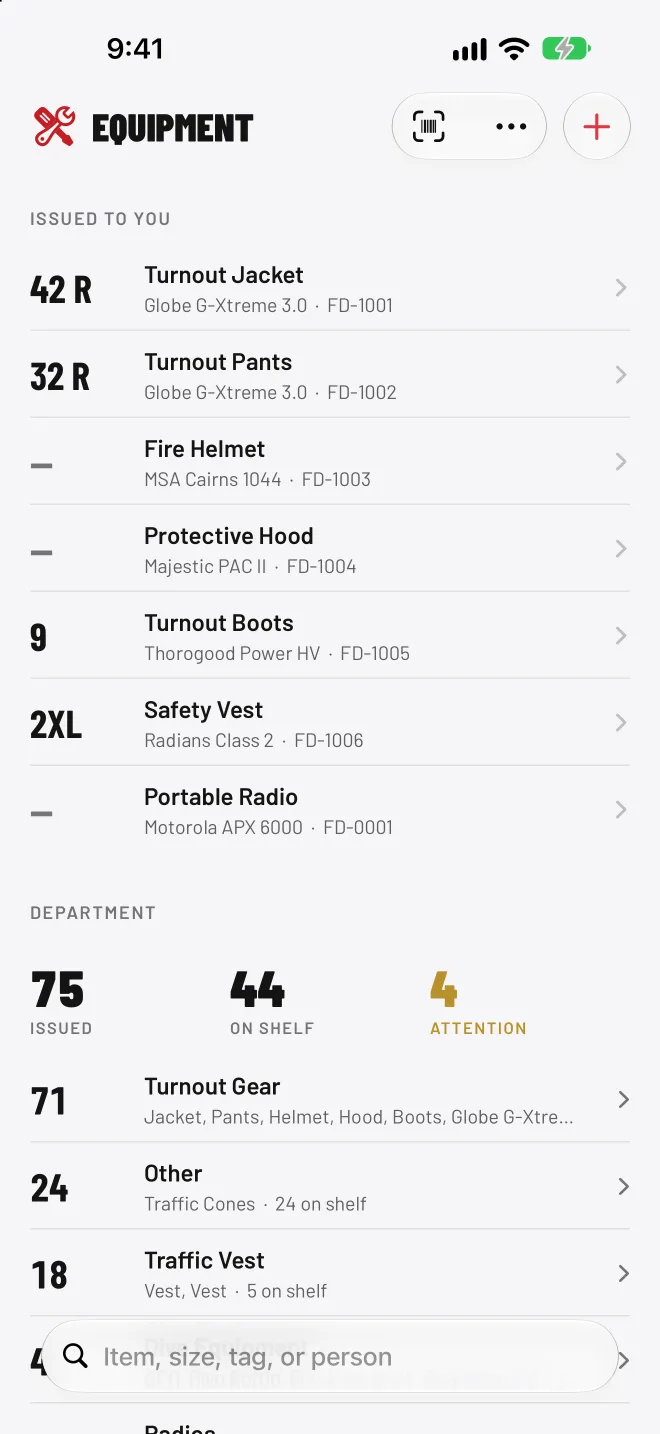
Equipment
Each item carries a size, a serial, an asset tag, and the member it’s issued to. Gear issued to someone not yet in the system went to a placeholder record with no login, so nothing was dropped.
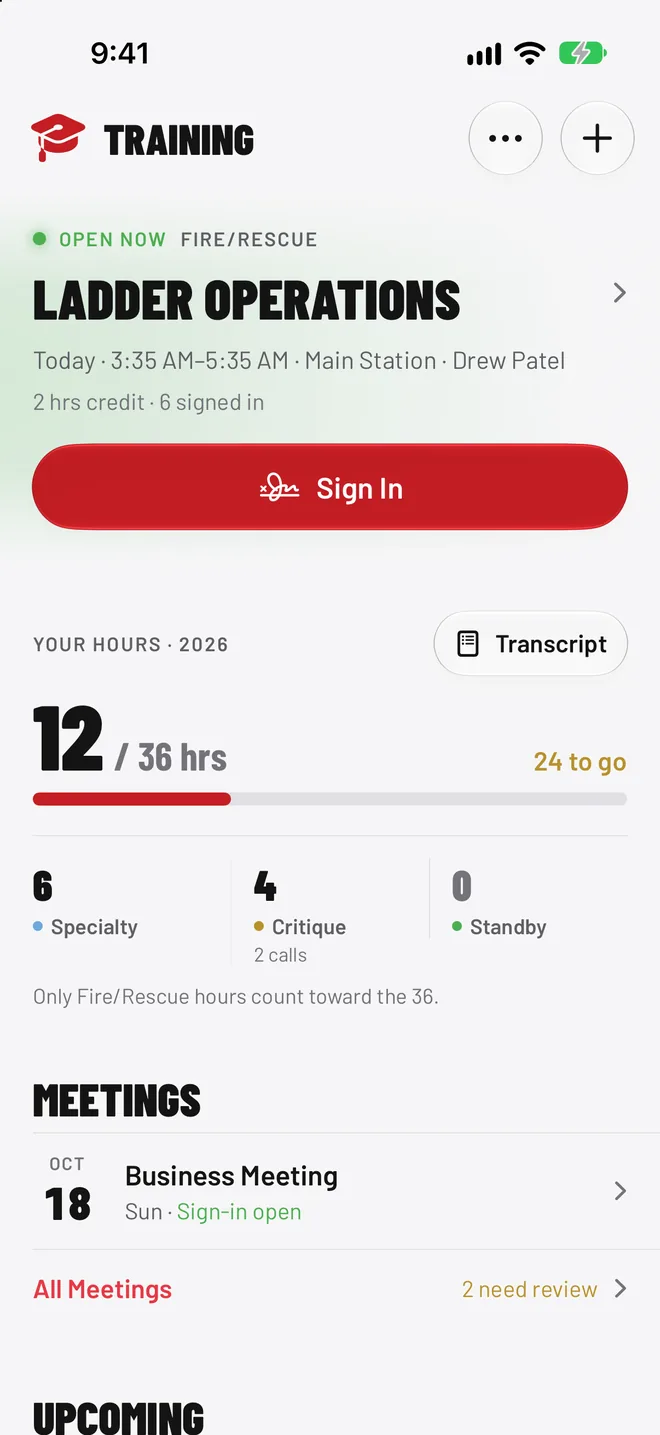
Training
Members sign in at the drill and the hours post to their record, counted against the 36 Fire/Rescue hours each member owes per year. Standby hours show up but don’t count.
The Web App Officers Run It From
Members sign in and check trucks on their phones. Officers fix the schedule, chase overdue gear, and close out calls at a desk. Both read from the same records, so nothing gets entered twice.
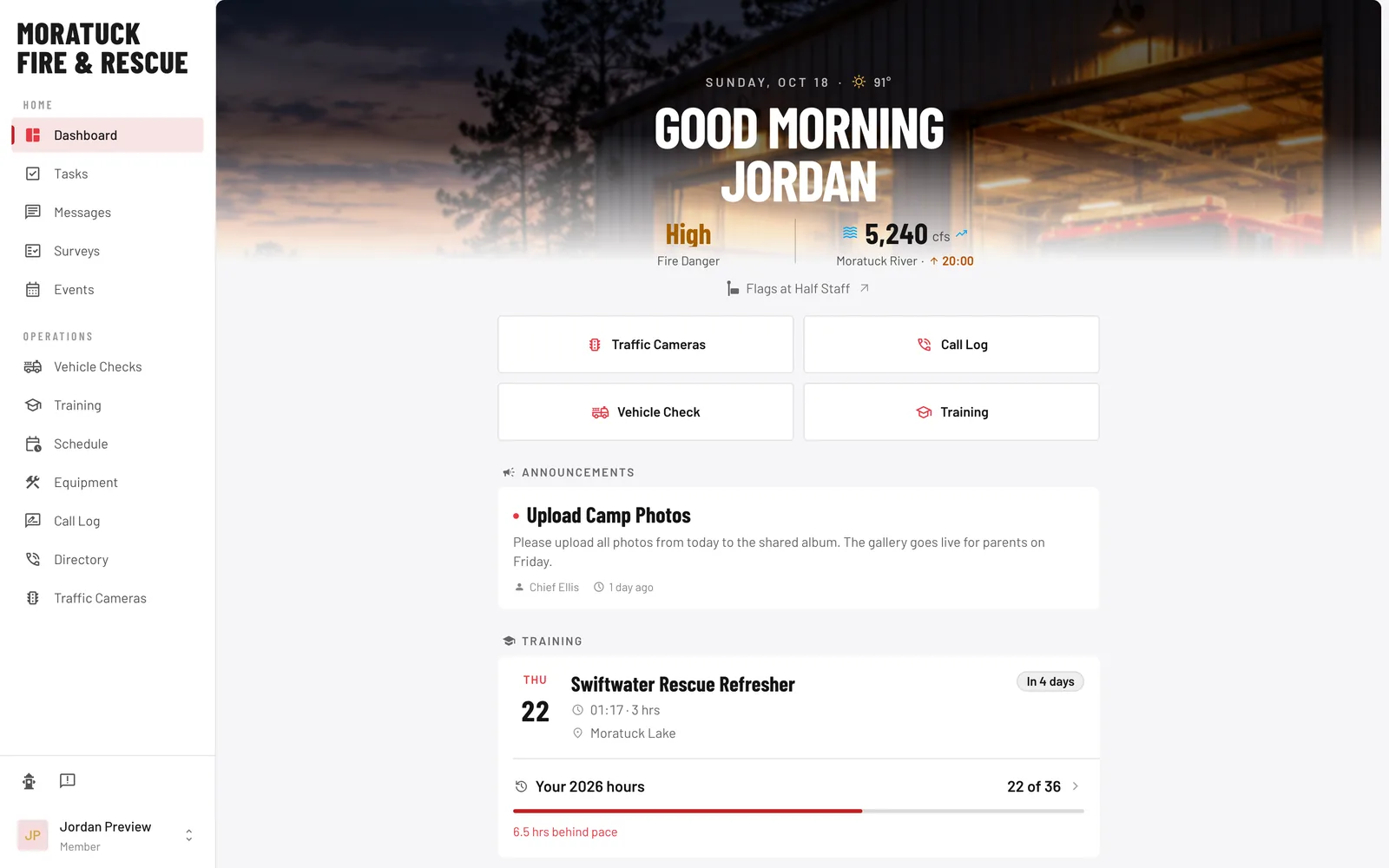
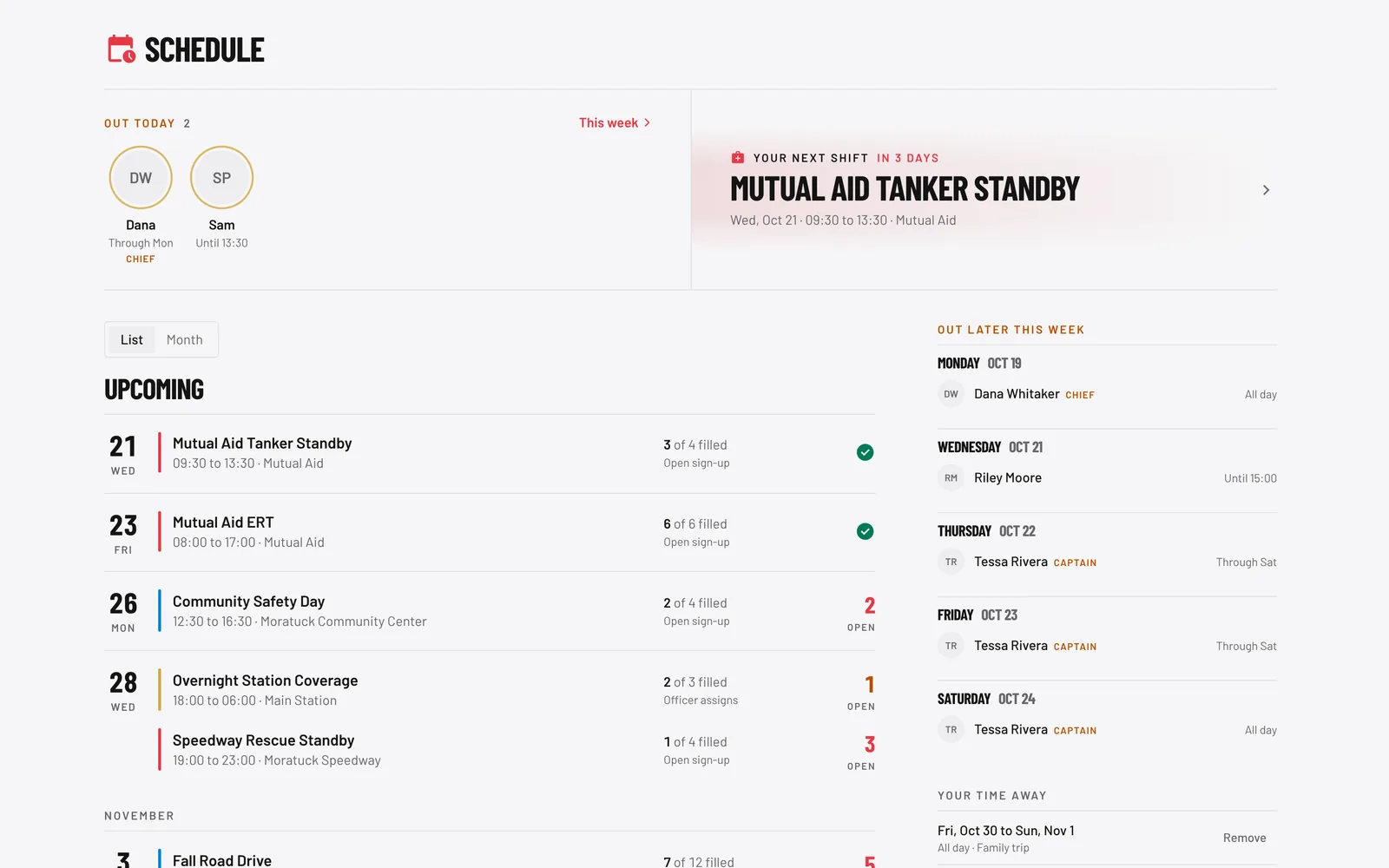
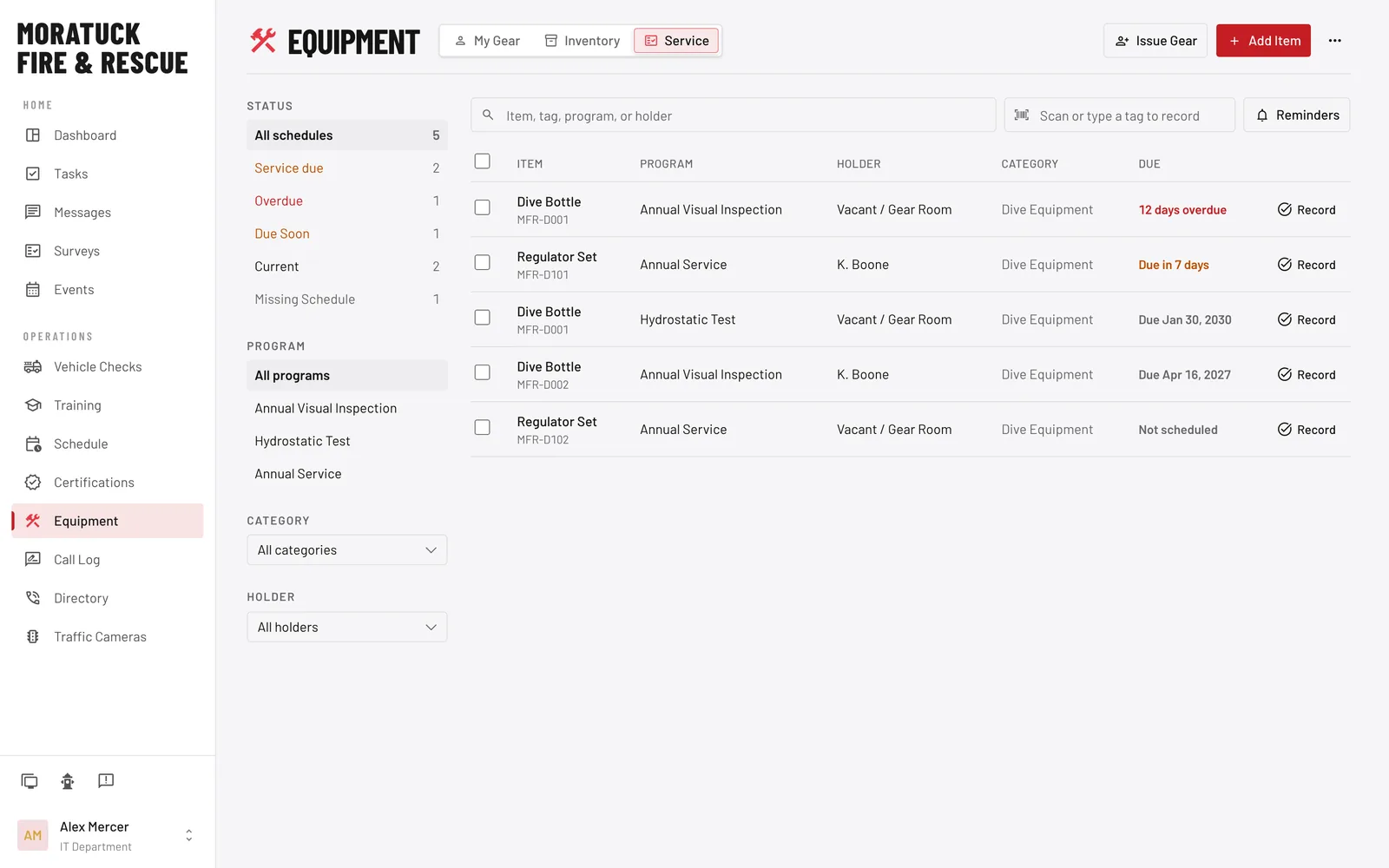
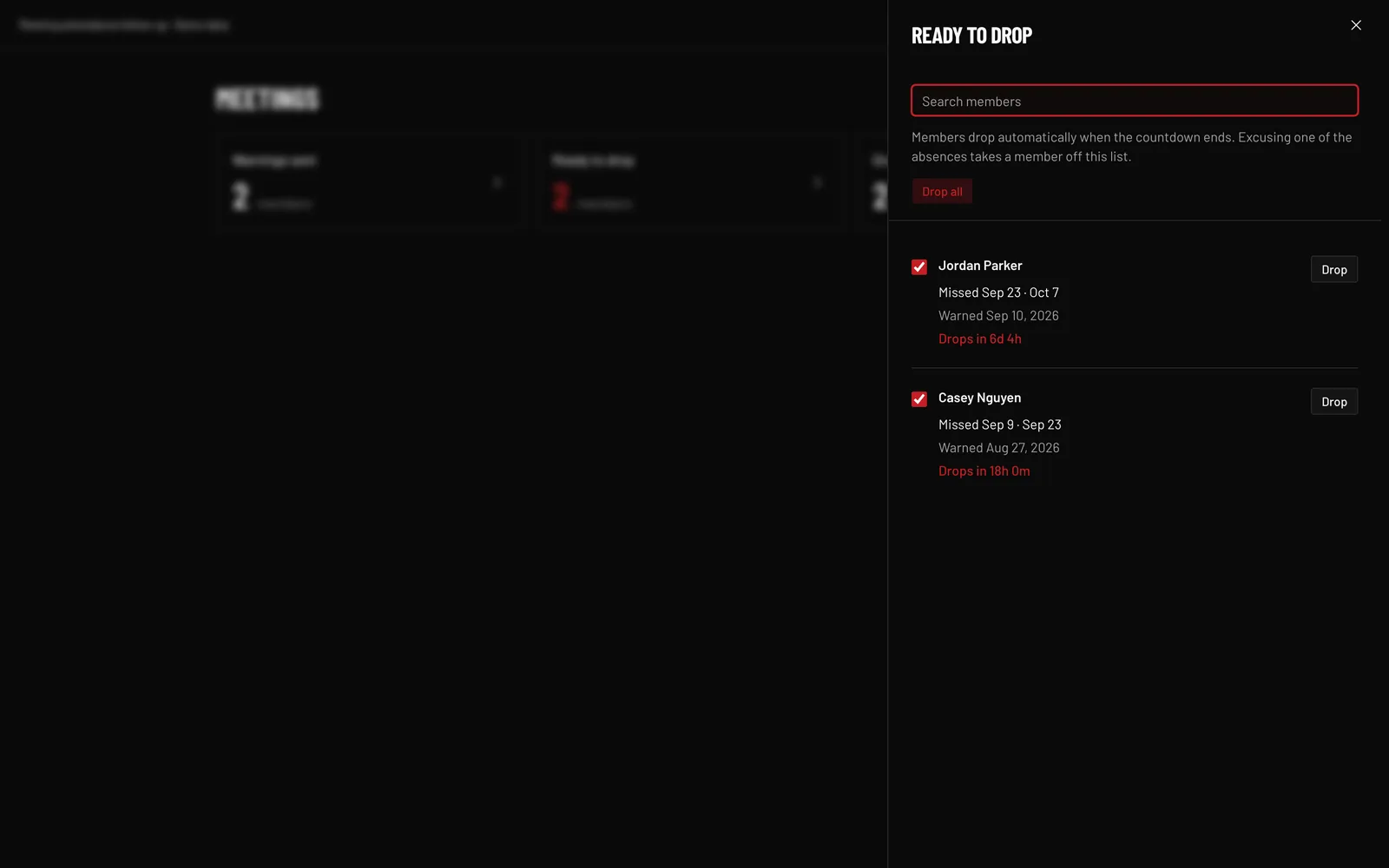
The same morning briefing as the phone, with every tool in the sidebar. The member side of the web app runs to 89 pages.
A Public Site That Feeds the App
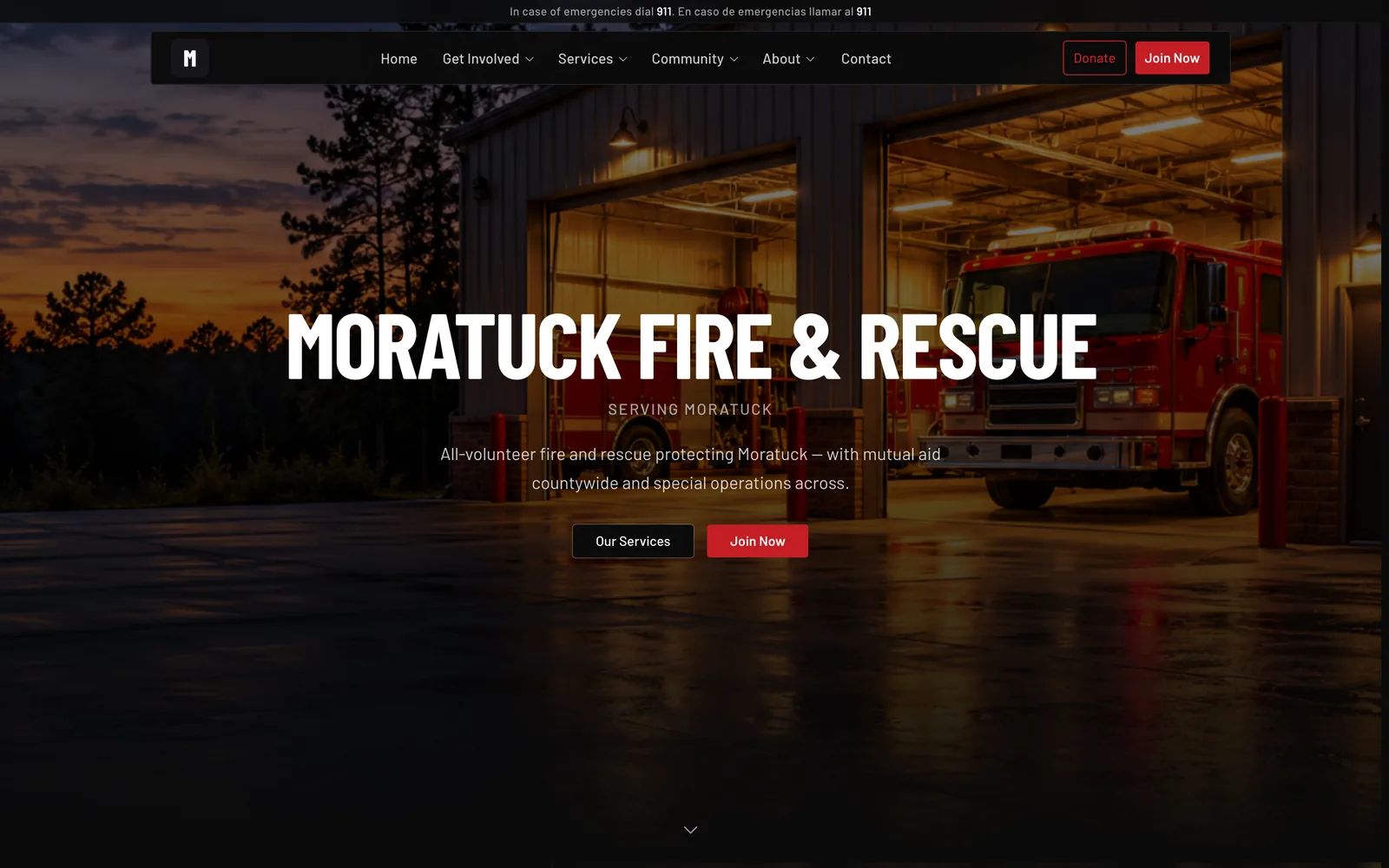
The public website covers the department’s services, including a page for water rescue, and a join page for new volunteers.
Membership applications sent from the site arrive in the app, where officers review and approve them. Nobody retypes an application from an email.
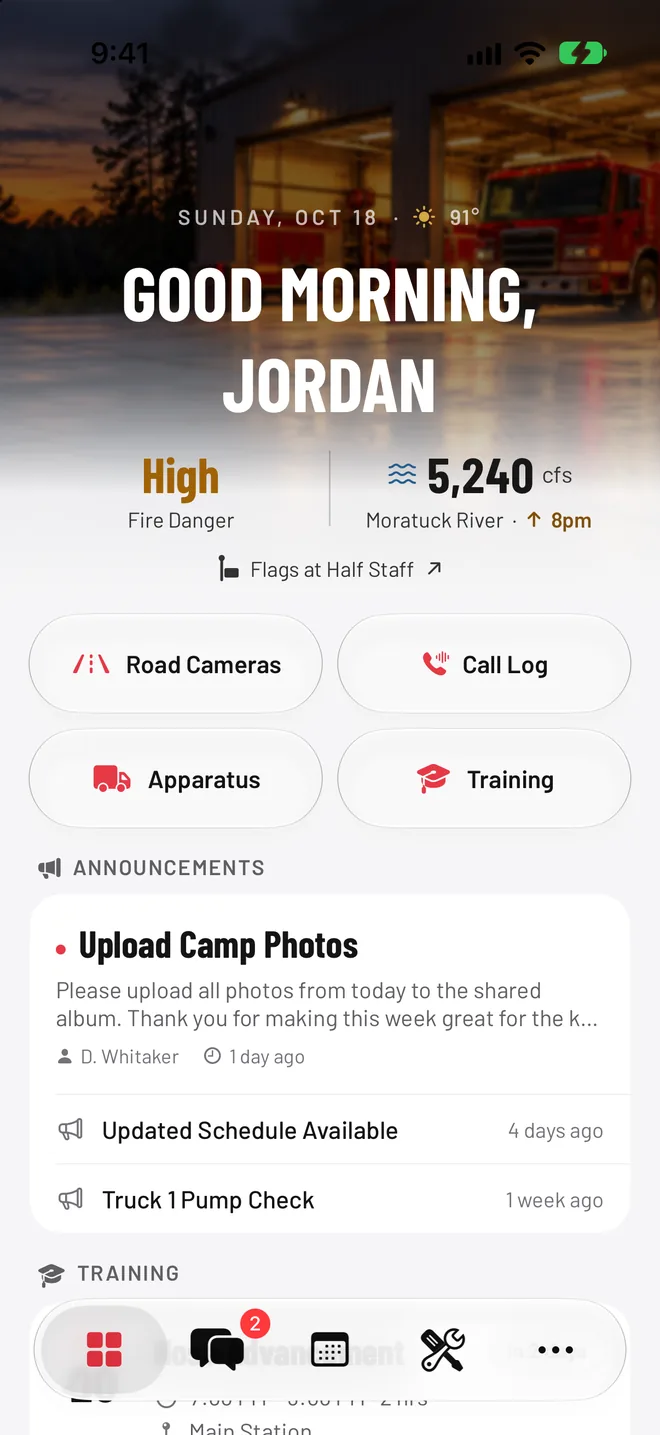
Local Conditions on the Home Screen
Members open the app to the conditions that change how a call goes. Fire danger comes from the state climate office and weather from the National Weather Service. Seven state DOT cameras show traffic on the interstate, and an alert shows when flags fly at half staff.
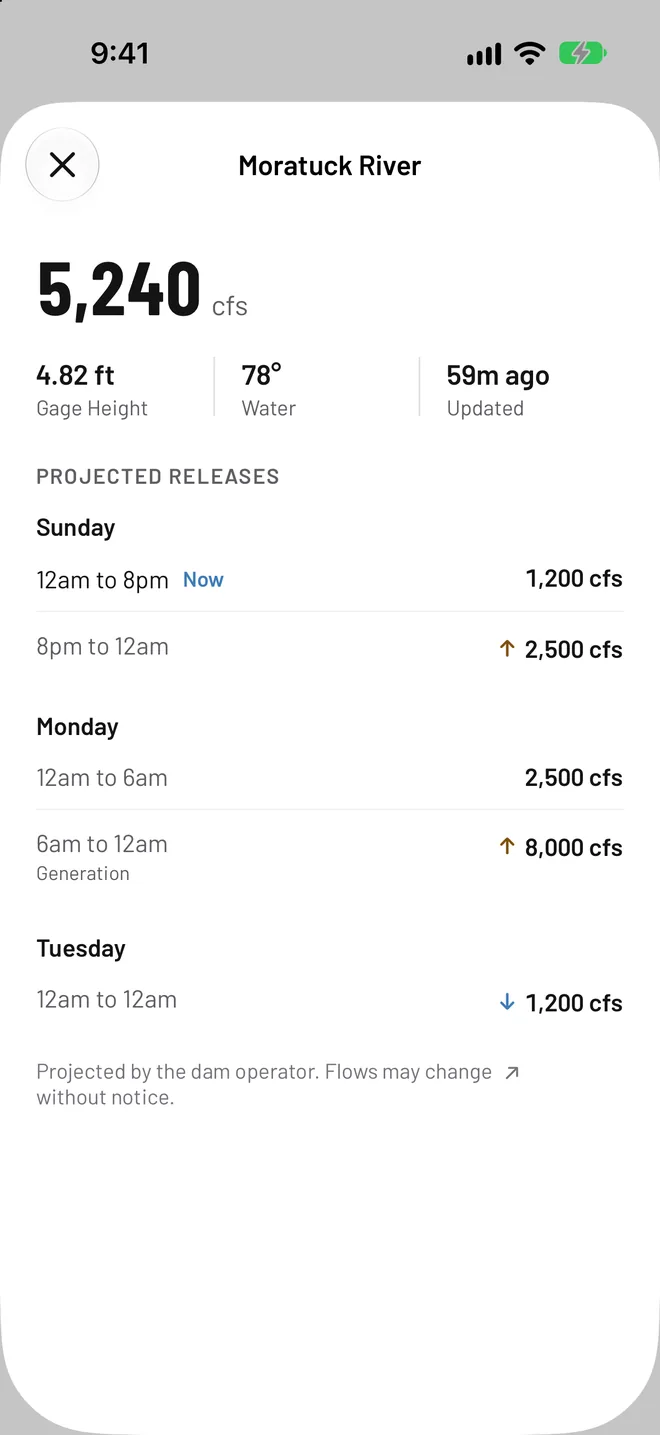
The department also runs swift water and dive calls below a hydroelectric dam, so river flow from a USGS gauge sits beside the dam operator’s projected releases. One tap opens the next three days of the schedule.
Flow figures in these captures are sample data.
What the Department Asked For
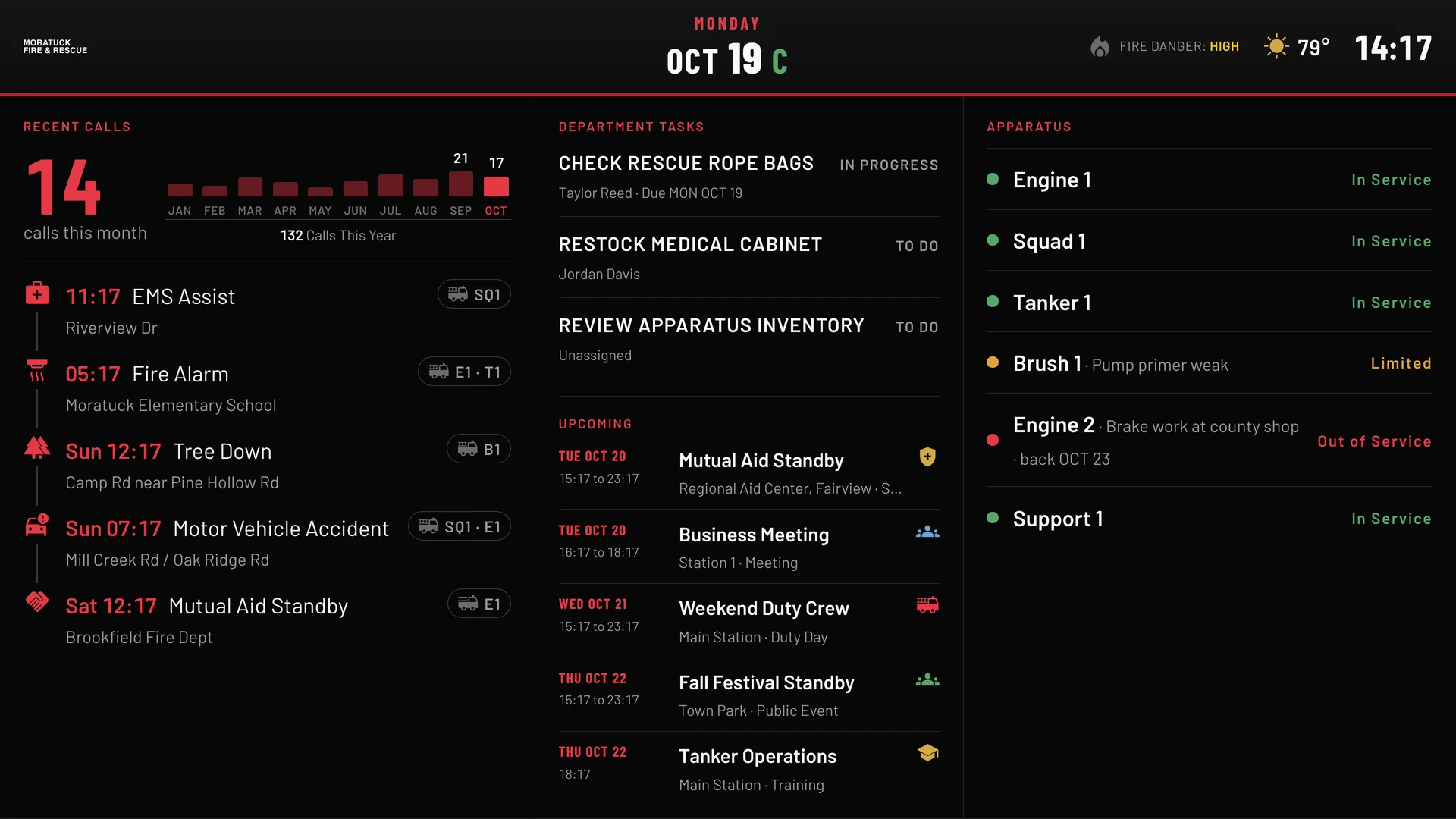
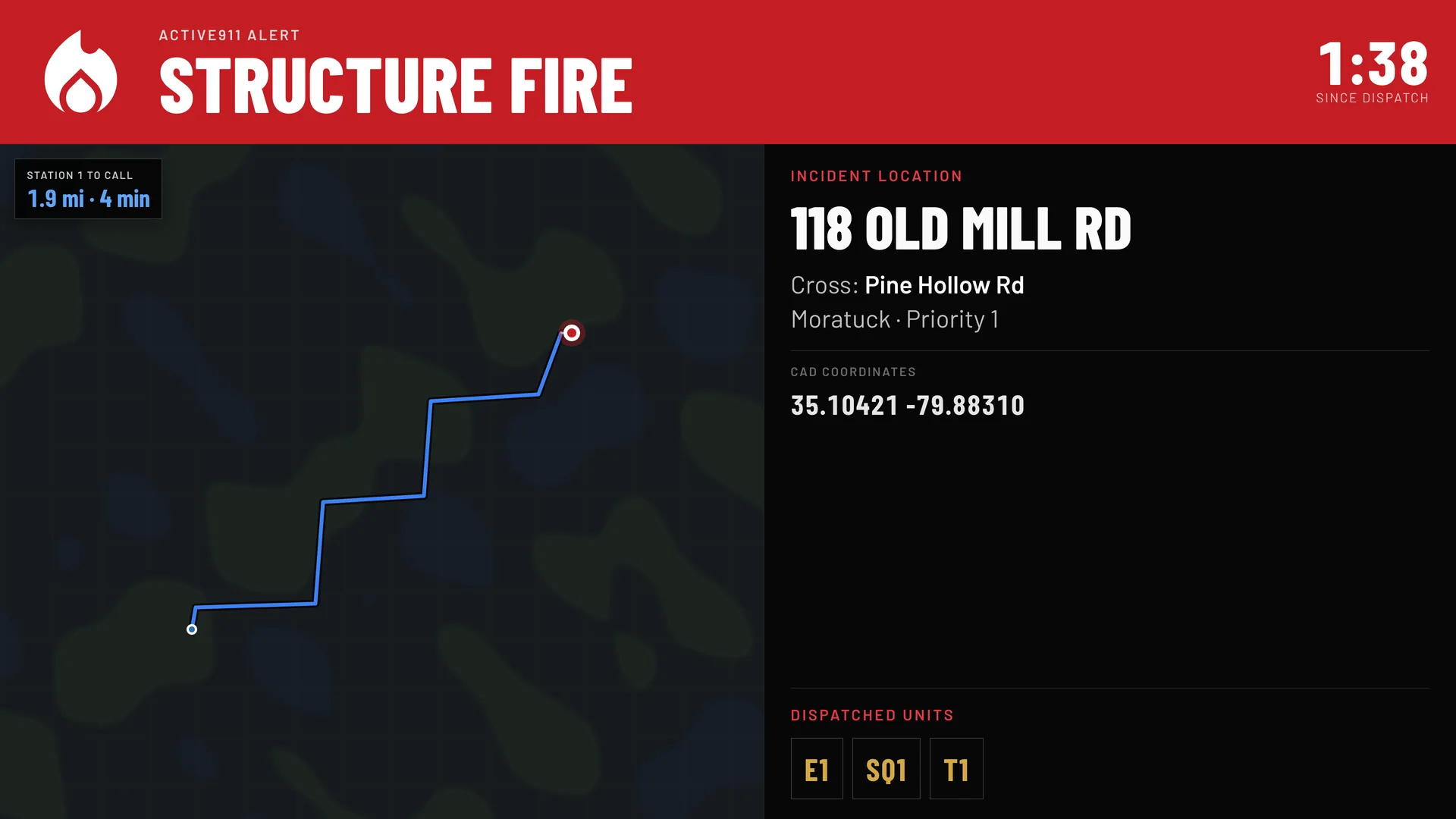
Status Boards on the Station TVs
Between calls the board shows recent calls and the units that ran them, open tasks, the week ahead, and which apparatus is in service, limited, or out with a date it’s due back.
When a call drops, the whole screen turns into that call: type, address, cross street, the route from the station, time since dispatch, and the units assigned. The first board went up as a test unit in August.
Billing on the Call
A captain asked for a billing area on each call, with a checklist of required fields. Billing had been typed by hand into a separate system.
Department IDs in Apple Wallet
Name, rank, unit, status, and a scannable barcode. The card updates itself when a member’s status changes.
A Real Android App
Members on Android get their own native app, built to match the iPhone app rather than a website in a wrapper.
And many more. If the department asked for it, we built it.
Bringing the Records Over
Before anyone could stop using paper, the paper had to come in. We pulled records out of the old system, typed in what only existed on cards and rosters, and reconciled the training and call history against its source.
Vix AI helped with the migration
Vix 1.0 Pro and Vix 1.0 Vision read and organized records that came in on paper, in spreadsheets, as PDFs, and in documents, then verified their own work.
- 1,455
- Hydrants
- 1,103
- Past hydrant inspections
- 2,938
- Training and call attendance records
- 9,134
- Verified training and call hours
- 362
- Pieces of equipment
- 0
- Messages sent during the member import
Timeline and Commit History
Mar 23
First commit
Apr 14
Public website ships
May 20
Member web app launches
Jul 10
iPhone app on TestFlight
Jul 21
Beta begins
Sep 6
Native Android app
Sep 30
Production cutover

Where the Name Comes From
Moratuck
MOR · uh · tuck
Moratuck, also recorded as Moratuc, is a historical name for the Roanoke River.
The all-volunteer department behind this project answers swift water and dive calls on that river. We named the project after it.
What Moratuck Tested
Could we replace the software a department already paid for before its renewal, and pick up the work that never made it into that software? Here it took a public website, an operations web app, native iPhone and Android apps, and a station kiosk.
Moratuck is the first of five research projects we’re publishing. Each one covers what we built, what the department needed, and what happened after it went into use.